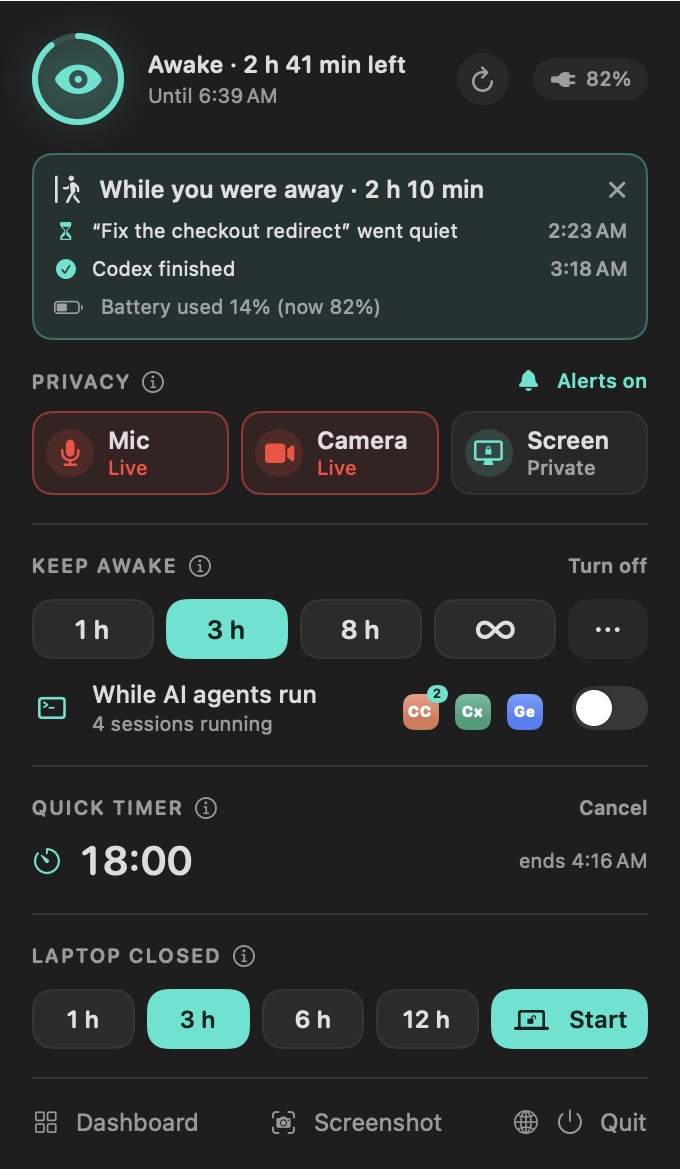
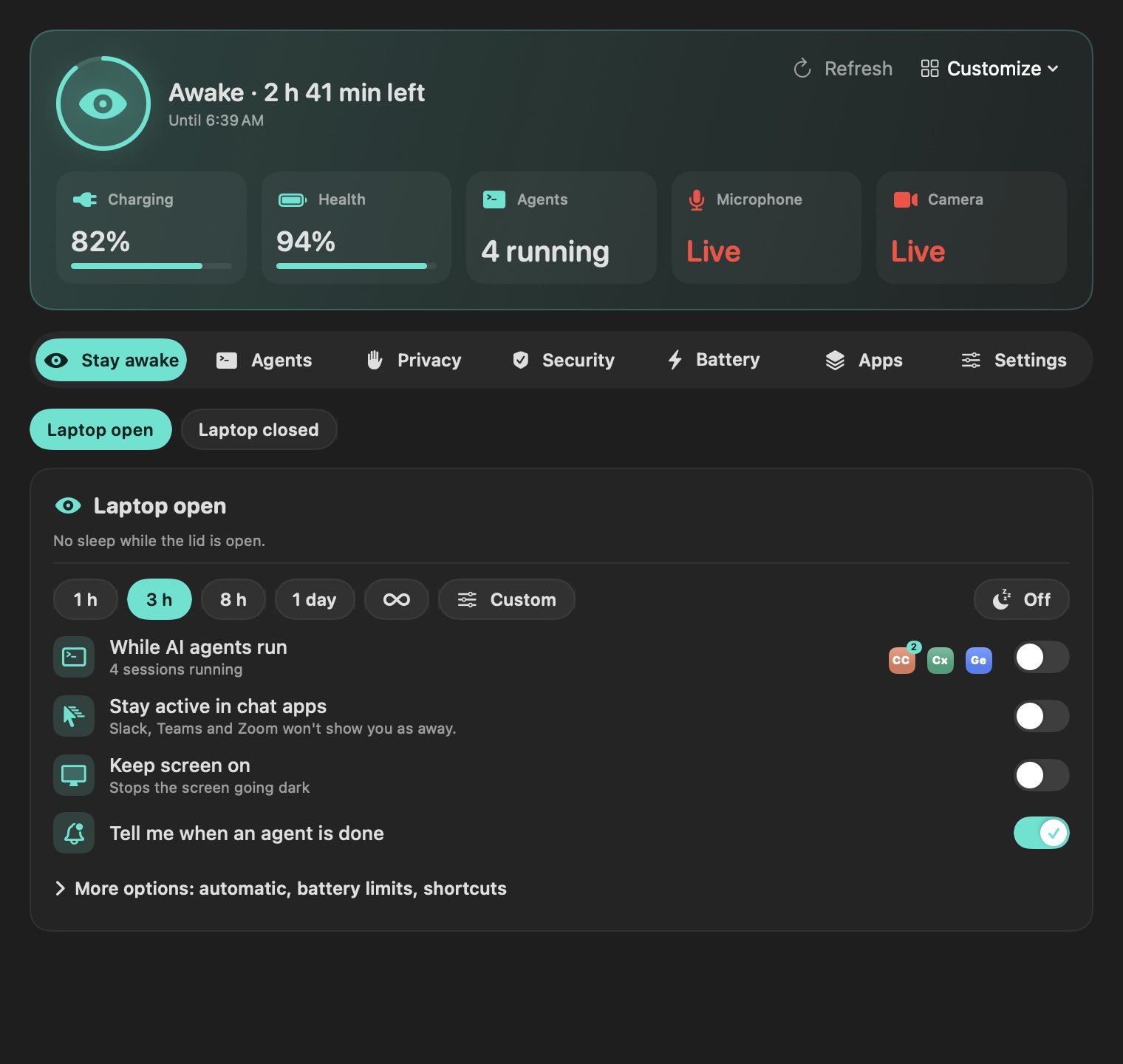
One click for 1 h, 3 h, 8 h, a day or forever, any custom time up to 30 days, or until 18:30. Or only while your agents run.
- Sleeps two minutes after the last agent exits
- Stops when you unplug or at 15% battery, if you like
- ⌃⌥⌘K toggles it from any app
Claude Code, Codex, Gemini CLI, Aider, OpenCode, Goose, Amp and more, grouped by assistant with the folder, start time and whether each is working or idle.
- A ping when an agent finishes or goes quiet
- Stop one session or all, after a confirmation
- Idle helpers never count
Keep working with the lid shut, then sleep 1, 3, 6 or 12 hours after it closes, at a set time, or when agents finish. One password per session.
- On power, or on battery above 20%
- 12-hour cap and a thermal cut-out
- A watchdog ends it even if the app quits
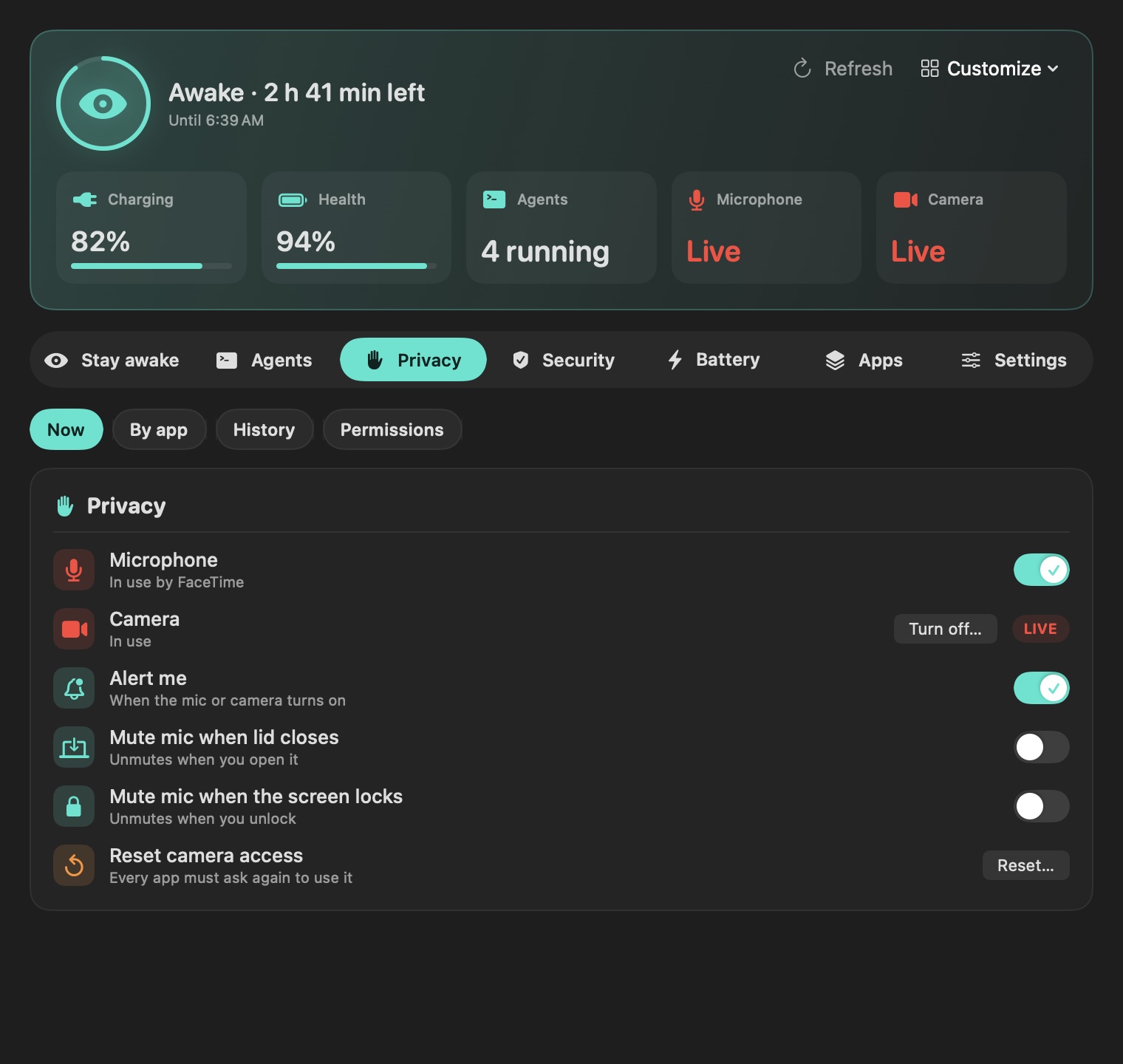
A red badge in the menu bar while either is live, which app is listening, a mic switch, and alerts when either turns on.
- Turn off… jumps to the Camera list in Settings
- A history kept only on your Mac
- Keepwatch itself never records anything
Firewall, FileVault, Gatekeeper, SIP and AirDrop at a glance, a notice when a new program starts itself at login, plus battery health over time and a shortcut to macOS's charge limit.
- Read-only: it never changes a security setting
- Each check opens the right Settings pane
- Remove your own startup items in two clicks
Slack, Teams, Zoom and other chat apps mark you away after a few idle minutes, even when the Mac is awake. Stay active moves the pointer one pixel when you've been idle, so they don't.
- Off by default; 2, 4 or 9 idle minutes
- Never clicks or types, never with the lid closed
- Asks for Accessibility only when you turn it on
See which apps use the most memory and quit them, find what is listening on :3000, stop a forgotten dev server, and see which caches and Xcode folders fill your disk.
- macOS's own processes are never offered
- A low-disk warning you set: 5 to 50 GB
- Quick timer from the menu: 5 to 45 minutes
- ⌃⌥⌘S opens Apple's screenshot and screen-video toolbar